Free tool · No signup
THE HANDBALL
TACTICAL BOARD.
Draw plays on a real IHF court with proper handball notation, animate them step by step, export as GIF or PDF and share with one link. Free, in your browser, built by handball coaches.
100% free · nothing to install · works on your phone
Everything a coach needs
to put a play on paper
Real IHF court
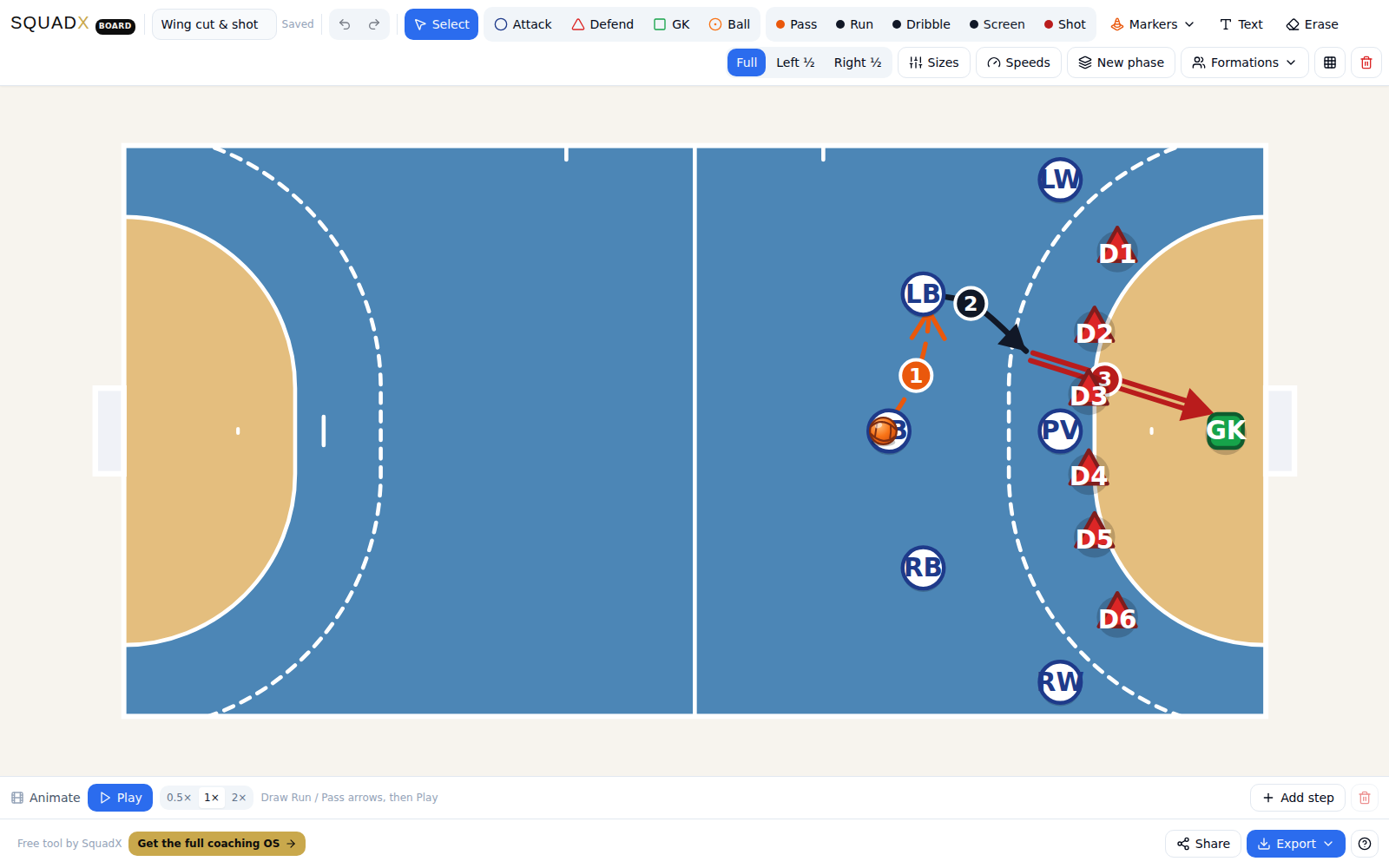
Exact 40×20 m markings — 6 m goal area, 9 m free-throw line, 7 m penalty mark. Half-court views for training drills.
Proper handball notation
Pass, run, dribble, screen and shot — each drawn the way coaches write them, including the double line for a shot.
Animate & export as GIF
Number the actions, press Play and the pieces move in order. Export the animation as a GIF, or a clean PNG / PDF for print.
Share with one link
Send a play to your assistant or team group — they open it in the browser and can edit their own copy. No accounts.
Formations in one tap
Start from 3-3 or 2-pivot attack against 6-0, 5-1, 3-2-1, 4-2 or 3-3 defence — then adjust every piece.
Built for the gym
Works on your phone — the court rotates upright, pieces move with your finger, everything autosaves in the browser.
From idea to animation
in three steps
- 1
Set the situation
Pick an attack and defence formation, or place attackers, defenders and the ball anywhere on the court.
- 2
Draw the movement
Drag arrows from players: passes, cuts, screens, shots. Add bend points to curve a run around cones.
- 3
Play, export, share
Press Play to animate the sequence, export it as GIF / PNG / PDF, or copy a link your team opens instantly.
Questions coaches ask
Is the tactical board really free?
Yes, completely free. No trial, no watermark fees, no locked features. It is the free corner of SquadX, the AI assistant coach for handball.
Do I need to create an account?
No. Open board.squadx.app and start drawing. Your work autosaves in your browser, and you can save plays to your local library.
How do I share a play with my team?
Press Share and copy the link — the whole play travels inside it. Anyone who opens the link sees your play and can edit their own copy. You can also export a GIF, PNG or PDF and drop it into any team chat.
Can I animate the play?
Yes. Arrows can be numbered into steps — pass first, then the cut, then the shot — and the board plays them in order. Export the animation as a looping GIF.
Does it work on my phone?
Yes. On a phone the court rotates upright and fills the screen, and every control is sized for fingers. It works the same on tablets and desktop.
Can I use it for training sessions, not just matches?
Yes — add cones, mini-goals, number markers and zones to draw drills and small-sided games, not only 6-v-6 tactics.
What's the difference between the board and SquadX?
The board is a free drawing tool. SquadX is the assistant coach around it: season plans drafted by Coach Lucas, the training week, a handball drill library and one profile per player. The board is free forever; SquadX has a free trial.
Keep exploring
DRAW YOUR
NEXT PLAY NOW.
The board is free forever · SquadX itself is free for 14 days